


Last Updated: October 22, 2026
Quick Summary
Evaluating fitness app features for personalized results means auditing whether the app adapts to your data rather than just offering a large exercise library. Run a seven-step audit covering tracking, real personalization, goal setting, progress accuracy, wearable integration, privacy controls, and ease of use. Score each area and treat any app that cannot explain its recommendations as marketing until proven otherwise.
- The fitness apps market was valued at $12.1 billion in 2025 and is projected to reach $33.6 billion by 2033.
- Skip several scheduled sessions and check whether the app reduces volume or reschedules instead of showing the same missed week.
- Compare app data against a second source like a chest strap or gym console over one week to test accuracy.
- Score motivation, engagement, ease of use, accessibility, customization, and user experience from 1 to 5; under 18 out of 30 means the app will likely lose you within a month.
- Check that device synchronization happens without opening the app and that workout data flows both ways between wearable and app.
Table of Contents
- Why Fitness App Features Matter More Than Library Size
- Step 1: Audit the Core Fitness Tracking Features
- Step 2: Judge the Personalized Workout App Experience
- Step 3: Test Fitness App Goal Setting and Progress Tracking
- Step 4: Check Fitness App Progress Tracking Accuracy and Consistency
- Step 5: Verify Fitness App Integration with Wearables
- Step 6: Review Privacy, Consent, and Health Data Controls
- Step 7: Score Motivation, Accessibility, and Ease of Use
- Frequently Asked Questions
Why Fitness App Features Matter More Than Library Size
According to Grand View Research's fitness app market forecast, the fitness apps market was valued at $12.1 billion in 2025 and is projected to reach $33.6 billion by 2033. That growth means more apps compete for your attention, and most of them look identical on the surface.
Here is the problem. A huge exercise library and a polished interface tell you almost nothing about long-term results.
The features that predict whether you stick with it are rarely the ones promoted on the app store page.
Below, we break down a seven-step audit you can run in about an hour. It scores the features that actually drive personalized results, from tracking coverage to privacy controls.
Step 1: Audit the Core Fitness Tracking Features
Start with what the app measures. Core fitness tracking features should cover four areas: activity data (steps, distance, active minutes), workouts, health metrics (heart rate, sleep, SpO₂), and body trends.
Check each one against this list:
- Steps and distance tracked automatically, not manually logged
- Calories burned estimated per workout, not just per day
- Heart rate zones during exercise
A tracker like our MOLED Fitness Tracker Black covers heart rate, SpO₂, sleep cycles, and activity through a nine-axis motion sensor. That data feeds the app, so tracking accuracy starts at the sensor level.

Step 2: Judge the Personalized Workout App Experience
A personalized workout app should change your plan based on your data. Most do not. They label a static plan "personalized" and call it done. The gap between real and labeled personalization is the single most important thing to evaluate, and almost no app store page will tell you which one you are getting.
Research led by F. Martín on fitness app feature importance found perceived enjoyment was the most relevant factor predicting intention to use. Enjoyment comes from plans that fit your level, not generic templates.
The inputs that should shape a plan
Real personalization runs on a defined set of inputs. Before you trust the word, check whether the app collects and uses each of these:
- Experience level, beginner, intermediate, advanced, and whether the app adjusts when you move between them
- Primary goal, strength, endurance, weight management, mobility, or general health, since each calls for different volume and intensity
- Schedule and session length, how many days per week and how many minutes per session you can actually commit
An app that asks for goals and experience but ignores schedule, equipment, and feedback is doing segmentation, not personalization. It sorts you into a bucket once and leaves you there.
How to tell whether plans adapt meaningfully
Adaptation is a behavior, not a label. Test it directly:
- The missed-week test. Skip several scheduled sessions, then open the app. A real adaptive plan reduces volume, reschedules, or eases you back in. A static plan shows the same week you missed.
- The completed-block test. Finish a training block strong. The plan should progress load, volume, or complexity. If week five looks like week one, nothing is adapting.
- The effort test. Rate a session as easy when the app expected hard. Meaningful personalization adjusts the next session's intensity; labeled personalization ignores the signal.
- The equipment test. Tell the app you only have dumbbells. If it still assigns machine or barbell work, it is not reading your constraints.
- The explanation test. Good apps tell you why a workout changed, "we lowered volume because you missed two sessions." Silence usually means the change was cosmetic or random.
Real-time feedback during guided workouts
Adaptive fitness plans also respond mid-session. Watch for form cues, tempo guidance, and automatic rest adjustments during guided workouts. These are harder to fake than a plan that merely changes its title each week.
Step 3: Test Fitness App Goal Setting and Progress Tracking
Fitness app goal setting should connect to progress tracking, not sit in a separate tab. Set one goal, then check whether the app surfaces it during workouts and in weekly summaries.
Qualitative findings from research led by H. L. Tong showed participants liked personalized activity suggestions because they were actionable and promoted user autonomy.
Try this test:
- Set a goal (three workouts per week, for example)
- Log two sessions
- See whether the app nudges you toward the third
If the app never mentions your goal again, goal setting is decoration.
Step 4: Check Fitness App Progress Tracking Accuracy and Consistency
Fitness app progress tracking is only useful if the numbers hold steady and mean something. Two separate questions matter here: is the data accurate, and is it tied to an outcome you care about? Most apps optimize the first and ignore the second.
Test accuracy against a second source
Compare the app against a second source over one week. A chest strap, a gym console, or a manual count gives you a reference point. Watch for these red flags:
- Step counts that swing wildly day to day with similar activity
- Calories burned that ignore your heart rate data
- Workout history that drops sessions
Tracking accuracy varies by device and placement. A wristband worn loosely reads differently than one worn snug. Our Fitness Tracker Smart Wristband Purple uses continuous heart rate monitoring and syncs across 200+ devices, which helps keep activity data consistent between your phone and your wrist.

Separate outcome metrics from vanity metrics
Accuracy is necessary but not sufficient. A step counter can be perfectly accurate and still tell you nothing about whether you are getting fitter. Sort every metric the app shows into two buckets:
- Outcome metrics, strength progression in load and reps, resting heart rate trend, pace at a fixed effort, body measurements, and adherence over weeks. These move slowly and reflect real change.
- Vanity metrics, total steps, badges, streak counts, and calories burned. These are easy to inflate and easy to game. They can motivate, but they are not evidence of results.
A good app makes outcome metrics easy to find and trend over time. A weak app buries them under badges and daily totals.
Judge measurement quality with four questions
- Is the metric defined? Does the app explain how it estimates calories or active minutes, or does it present a number with no method?
- Is it trendable? Can you view the metric over 4, 8, and 12 weeks, not just today?
- Is it tied to your goal? If your goal is strength, does the app surface load progression, or only steps?
- Does it survive a device change? Export your history and confirm it carries over. Metrics that vanish when you switch hardware are not a record of progress.
Consistency beats precision
Consumer wearables are estimates, not lab instruments. What matters more than absolute precision is consistency: the same activity should produce roughly the same reading week to week. A tracker that is consistently 10% high is more useful for spotting trends than one that is accurate on average but noisy day to day. Judge the trend line, not the single reading.
Step 5: Verify Fitness App Integration with Wearables
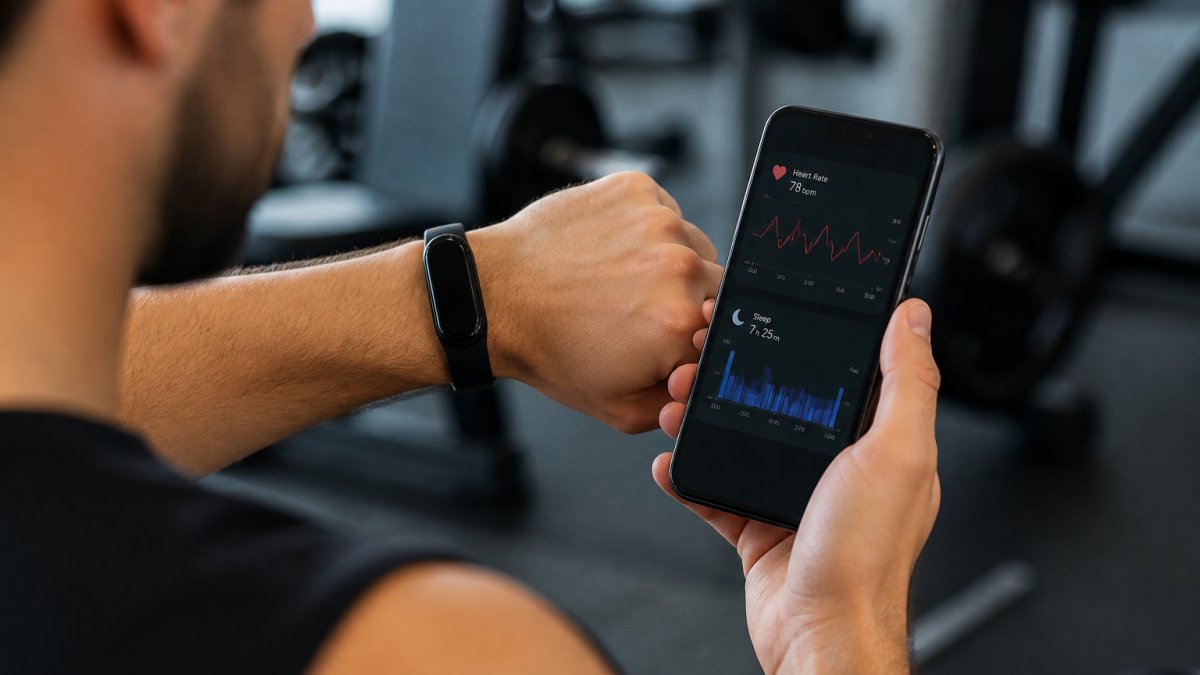
Fitness app integration with wearables decides how much manual work you do. The best setup syncs automatically and pushes data both ways.
Check integration with this checklist:
- Device synchronization happens without opening the app
- Workout data flows from the wearable to the app and back
- Sleep and heart rate appear in the same dashboard as workouts
Test the sync range. Our Smart Wristband syncs up to 30 ft over Bluetooth LE, which covers most home gym setups.
Step 6: Review Privacy, Consent, and Health Data Controls
Health data is sensitive, and the controls should be obvious. Look for a plain-language privacy policy, clear consent screens, and the ability to export or delete your data.
Ask three questions:
- Can you turn off data sharing without losing core features?
- Does the app explain what it collects and why?
- Can you delete your account and data in a few clicks?
If any answer is unclear, that is your answer. Apps that hide data controls tend to treat health metrics as marketing inventory.
Step 7: Score Motivation, Accessibility, and Ease of Use
Motivation and engagement features keep you coming back. Social challenges, community features, streaks, and reminders all count.
Score each area from 1 to 5:
| Feature Area | What to Test | Score (1-5) |
|---|---|---|
| Motivation | Streaks, reminders, social challenges | |
| Engagement | Community features, real-time feedback | |
| Ease of use | Onboarding time, menu depth | |
| Accessibility | Text size, contrast, screen reader support | |
| Customization | Reminders, units, dashboard layout | |
| User experience | Clarity of workout screens mid-session |
Add the scores. Anything under 18 out of 30 means the app will likely lose you within a month, no matter how good the workout content is.
A simple tool can help here too. Our Weighted Fitness Hoop with Counter includes a built-in smart counter, so cardio sessions produce a trackable number you can log alongside app data.

Most people pick a fitness app the way they pick a playlist: by what looks good in the first minute. That habit costs months of progress.
At Bodyhackfitness, we built our catalog around that idea.
Frequently Asked Questions
What features should I look for in a fitness app?
Prioritize features that change what you do next, not how many options you scroll past. Look for adaptive programming that adjusts to your logged performance, clear goal setting with milestones, progress tracking that stores workout history, and wearable sync so your activity data lands in one place. Add meal tracking and nutrition logging if your goals depend on intake. A 2026 FitCraft guide notes that library size and UI polish do not predict long-term use, while structured progression and engagement mechanics do. Score each feature on whether it produces a specific recommendation you would actually follow.
How do fitness apps personalize workouts?
Personalization runs on the data you feed the app: fitness level at setup, completed sessions, heart rate, sleep, and stated goals. A personalized workout app then adjusts volume, intensity, and exercise selection. Research led by H. L. Tong in 2022 found participants liked personalized activity suggestions because they were actionable and promoted autonomy, and a 2024 study led by C. Doherty reported adherence and satisfaction benefits from personalized exercise prescriptions. To assess it, change one input, such as your available days per week, and see whether the training plan actually reshapes.
How can I tell whether a fitness app's progress tracking is accurate?
Compare the app against a known reference. Wear a tracker with continuous heart rate monitoring during a steady session and check whether the app's calorie and heart rate curves match. Repeat the same workout twice and see whether steps, distance, and active minutes land within a small margin. Watch for gaps: dropped sessions, duplicated workouts, or totals that reset. Data consistency across a week matters more than any single reading. If numbers swing wildly between identical sessions, the tracking accuracy is not reliable enough to base training decisions on.
Which fitness app features help keep users motivated?
Motivation usually comes from three mechanics: visible progress, social accountability, and real-time feedback. A 2023 study led by J. Hu in Information & Management found personal-oriented and social-oriented app features had significant positive impacts on exercise adherence and physical and social activity outcomes. In practice, that means streak counters, workout history you can scan at a glance, social challenges, community features, and reminders to move. Perceived enjoyment also matters: a 2023 analysis led by F. Martín identified it as the most relevant factor for intention to use.