


Last Updated: November 8, 2026
Quick Summary
The best workout apps for home fitness match your equipment, fit your schedule, and make progress visible. Start with a free AI planner and 4,000-plus exercise library like Load Muscle, then check the trial end date and year-two renewal price before subscribing.
- Fitness apps generated $3.4 billion in revenue in 2025, a 24.5% jump over the previous year.
- We weighted equipment fit highest because apps assuming gear you do not own get abandoned.
- A free tier is not a trial: it usually locks progress tracking and offline downloads.
- Score apps on coaching quality, usability, variety, accessibility, and subscription transparency.
- Start with the app, then buy equipment the app actually programs.
Table of Contents
- What Separates the Best Workout Apps for Home Fitness
- The Best App for Home Workout Without Equipment
- The Best Home Workout App to Build Muscle
- Workout App Subscription Costs Compared
- Features That Decide Whether an App Sticks
- Privacy, Offline Access and Device Compatibility
- Matching Equipment to Your App and Your Space
- Build Your Home Setup Around the App You Choose
- Frequently Asked Questions
What Separates the Best Workout Apps for Home Fitness
Fitness apps generated $3.4 billion in revenue in 2025, a 24.5% jump over the previous year, according to Business of Apps fitness app revenue statistics. That growth matters to anyone shopping for workout apps, because more money in the market means more apps competing for your subscription. At Bodyhackfitness, we sell the equipment these apps run alongside, so we see which programs people actually stick with.
The best workout apps for home fitness share three traits: they match your equipment, they fit your schedule, and they make progress visible. Everything else is decoration.
A 2024 study in PubMed Central on fitness app use found that fitness apps work partly because they give users a place to share exercise experiences and display achievements. Accountability, in other words, is a feature.
How We Evaluated These Apps
We scored apps on five criteria: equipment fit, plan personalization, subscription transparency, offline access, and how well progress tracking works in practice. We weighted equipment fit highest, because an app that assumes gear you do not own is an app you will abandon.
Workout apps are mobile programs that deliver guided training plans, exercise demonstrations, and progress tracking for use outside a gym.
Watch out: a huge exercise library means nothing if the app cannot filter it to your equipment and fitness level. Check that first.
The Best App for Home Workout Without Equipment
The best app for a home workout without equipment is built around bodyweight training, with clear exercise demonstrations and scaling options for every move.
Load Muscle's free AI workout planner and 4,000-plus exercise library is the strongest free starting point we have seen for this use case, and it costs nothing to test.
Pair a no-equipment app with one cheap tool and the training options widen fast. Our Premium 4-Tube Elastic Resistance Bands at $13.52 add resistance to bodyweight movements for full-body workouts.

Best for: beginners and small apartments. Skip if: you already own heavy dumbbells and want loaded strength programming.
The Best Home Workout App to Build Muscle
The best home workout app to build muscle programs progressive overload, not random daily workouts.
Bodyweight training builds strength up to a point. Our Premium Resistance Training & Cardio Fitness Bundle at $129.89 includes three variable resistance bands, three super bands, and a high-speed jump rope in one compact kit.
Two things decide whether a muscle-building app works: does it log your lifts, and does it adjust the plan when you stall? Apps that only play videos are guided workouts, not training plans.
Best for: lifters training at home with bands or dumbbells. Skip if: you want pure cardio and have no interest in tracking loads.
Workout App Subscription Costs Compared
Subscription costs are where workout apps hide their real price. Fitness app revenue hit $3.4 billion in 2025, and subscriptions drive most of it, per Business of Apps market data.
Most roundups list a monthly number and move on. That number is rarely what you pay. The real cost of a workout app is the sum of four things: the free-tier limits, the trial length, the renewal price after any promotional rate ends, and the cancellation terms.
Here is how the cost models actually break down:
| Cost Model | Typical Structure | What You Get | Watch For |
|---|---|---|---|
| Free tier | $0, ad or upsell supported | Limited plans, basic tracking | Paywalled progress history |
| Free AI planner | $0, feature limited | Generated plans, exercise library | Few coaching extras |
| Monthly subscription | Recurring fee | Full library, live classes | Price rises after promo |
| Annual subscription | Discounted lump sum | Same as monthly | No refund after renewal |
| Equipment bundle | One-time purchase | Bands, ropes, steppers | No app included unless stated |
Free Tiers, Trials and What They Actually Include
A free tier is not a trial. Free tiers usually keep core workouts open and lock progress tracking, offline downloads, or advanced plans behind a subscription. A trial gives you full access for a set number of days, then charges you automatically.
Read the renewal terms before you enter a card number. Three clauses decide your real annual cost:
- Trial-to-paid conversion. Note the exact day the trial ends and whether the app charges the monthly or annual rate at conversion. Some apps default to the annual plan after the trial, which is a much larger charge than most shoppers expect.
- Promotional pricing. A first-year discount that reverts to a higher renewal rate is common. Calculate the year-two price, not the year-one price, before you commit.
- Cancellation and refunds. Confirm whether you can cancel in-app or must go through a web account, and whether any refund window exists after renewal. Many subscriptions are non-refundable once the renewal charge posts.
Put the trial end date in your phone calendar the day you sign up, with a reminder two days before. The most common complaint we hear is a charge the buyer forgot was coming, and a calendar reminder prevents nearly all of them.
How to Compare the Real Annual Cost
Build a simple three-column worksheet before you subscribe. Column one is the free-tier limit: what can you actually do at $0, and does it include progress tracking or offline downloads?
Watch out: an app with a low monthly rate but no free tier and no refund window can cost more over a year than a higher-priced app with a generous free tier you never need to upgrade.
If you pair an app with equipment, treat the gear as a one-time cost and the app as recurring.
Features That Decide Whether an App Sticks
Motivation and habit building decide retention more than exercise variety does. A 2024 study indexed by PubMed Central links fitness app use to sharing achievements, and that social layer is what keeps many people training on low-motivation days.
Most roundups list features without saying how they judged them. We score every app on a five-part rubric weighted toward what predicts whether you are still training in month three, not what looks good on a download page.
Our Five-Part Scoring Rubric
Each criterion is scored from one to five, and the weighted total decides the ranking. The weights reflect what actually predicts long-term use.
- Coaching quality (30%). Are exercise demonstrations clear enough to check your form from a phone propped on the floor? Does the app cue breathing, tempo, and common mistakes, or just play a video? An app that cannot correct a bad rep is entertainment, not coaching.
- Usability (20%). Can you start a workout in under three taps? Does the screen stay readable mid-set? Cluttered interfaces get abandoned first, because friction during a workout compounds.
- Workout variety and progression (20%). Does the library filter by your equipment and fitness level, and does the plan advance load or reps over weeks? A 4,000-exercise library is worthless if you cannot filter it to the two dumbbells you own.
The Adherence Features That Actually Matter
Habit-building features separate apps people keep from apps people delete. Rank them in this order when you compare options:
- Progression you can see. A plan that shows week-over-week load or rep increases gives you a reason to return. Random daily workouts do not.
- Reminders that respect your schedule. Set the reminder for a slot you actually control, or you will train yourself to ignore notifications.
- Streaks and sharing. The PubMed Central study ties sharing achievements to continued use. A streak is a small commitment device, and sharing it adds a social cost to quitting.
If you struggle to stay motivated between sessions, our guide on staying motivated with workout apps covers practical tactics.
How to Test an App in One Week
Do not judge an app from its download page. Run this one-week test before you commit to a subscription:
- Day one: complete one full workout and note how many taps it took to start and whether you could see the screen mid-set.
- Day two: find a modification for the hardest move. If you cannot find one in under a minute, accessibility is weak.
- Day three: check whether the app logged your performance and whether the next session adjusted based on it.
- Day four: download one workout for offline use and start it in airplane mode.
- Day five: review the subscription screen and write down the trial end date and year-two renewal price.
Watch out: an app can pass the workout test and fail the subscription test. A program you love with renewal terms you did not read is still a charge you did not plan for. Score both before you enter a card number.
Privacy, Offline Access and Device Compatibility
Privacy terms deserve a skim before you subscribe. Fitness apps collect workout history, body metrics, and sometimes location data.
Offline access matters more than shoppers expect. Basements, garages, and rural connections drop signal, and an app that streams every demonstration will stall mid-set.
Device compatibility is the quiet dealbreaker. If you are weighing an app-plus-hardware setup, our breakdown of whether a smart fitness mirror is worth it covers the trade-offs.
Matching Equipment to Your App and Your Space
Equipment requirements should drive your app choice, not the other way around. Zapier's 2026 roundup notes that Hevy lets users sort routines by workout location, including home, which is the filter more apps need, per Zapier's app recommendations.
The woman is American.
Match gear to the space you actually have:
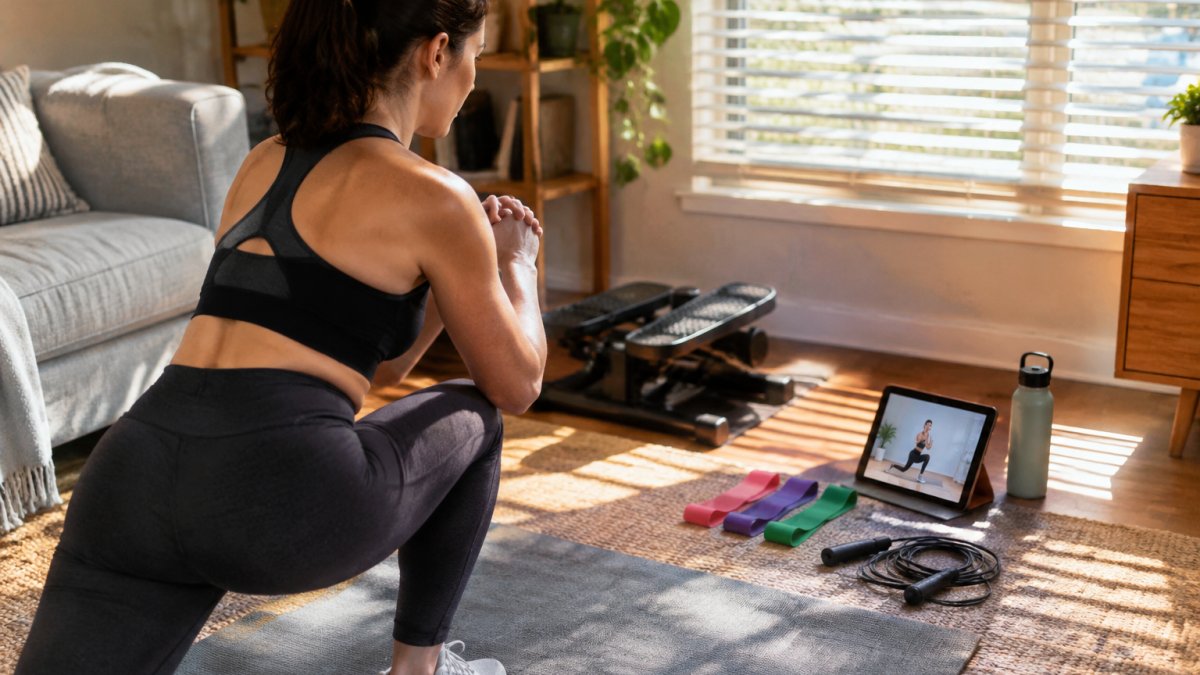
- Small apartment: resistance bands, a cordless jump rope, and a compact stepper. Our silent swing stepper at $54.32 is ultra-quiet in operation.
- Spare room: add a folding vertical climber at $89.28 for full-body cardio that stores flat.
- Desk worker: a walking pad with incline at $107.17 turns meetings into cardio.
Build Your Home Setup Around the App You Choose
Start with the app, then buy equipment the app actually programs.
Our compact home gym guide covers building a training space on a budget and pairs well with any app that supports bands and bodyweight work.
Consistency matters more than equipment cost. A $13.52 band set used regularly is a practical place to start.
The hard part is not choosing an app. It is building a setup you will actually use past week three.
Frequently Asked Questions
What is the best fitness app for home workouts?
There is no single winner because the best workout apps depend on your space and goals. If you want no-equipment sessions, pick an app with a large bodyweight exercise library and guided demos. If you want to build muscle, prioritize apps with progressive training plans and resistance tracking. Check three things before subscribing: whether the free tier is usable, whether workouts filter by available equipment, and whether the app works offline. Fitness apps generated $3.4 billion in revenue in 2025, so the market is crowded and worth comparing carefully.
Do I need special equipment to use home workout apps?
Most apps include a no-equipment track, so you can start with bodyweight training alone. As you progress, small additions make a difference: resistance bands for strength training, a jump rope for cardio, and a stepper or walking pad for low-impact sessions. Look for an app that lets you filter workouts by equipment so you never open a session you cannot complete. Buying gear gradually, after you know the app's format, avoids the garage clutter problem.
How much do workout app subscription costs usually run?
Costs vary widely, from free tiers with limited content to paid subscriptions that unlock full training plans and coaching. Before you commit, compare what the free tier includes, whether a trial period requires a card, and whether the subscription is monthly or annual. Also factor in one-time equipment purchases, which often cost less than a year of subscriptions.
Which workout apps are best for building muscle at home?
The best home workout app to build muscle needs three things: progressive overload built into the plan, clear exercise demonstrations for form, and a way to log weights or resistance so you can track progress. Apps that only shuffle random workouts rarely build strength. Pair the app with adjustable resistance, such as bands or a bundle with variable resistance levels, and train each muscle group two to three times per week. Consistency matters more than the app's brand name.
Are there effective workout apps that are completely free?
Yes. Some apps offer a genuinely usable free tier, and a few provide free AI workout planners alongside large exercise libraries, such as the 4,000-plus exercise library Load Muscle advertises. The catch is usually limited coaching, ads, or gated progress tracking. A free app plus a small equipment purchase, like a $6.89 cordless jump rope, is a low-cost way to start. Test the free version for two weeks before paying for anything.
