


Table of Contents
- What Defines an iFit Alternative for Guided Workouts
- Best Workout Apps for Home Workouts: Feature Comparison
- iFIT Alternatives for NordicTrack Equipment Compatibility
- Fitness Apps with Trainer-Led Workouts: What to Expect
- Free Workout Apps and Paid Options: Pricing Breakdown
- How to Choose the Right iFit Alternative for Your Fitness Goals
- Pairing Guided Workout Apps with Home Fitness Equipment
- Conclusion
- Frequently Asked Questions
Last Updated: October 10, 2026
What Defines an iFit Alternative for Guided Workouts
An iFit alternative for guided workouts is any fitness app or equipment platform delivering real-time instruction from certified trainers. These alternatives replicate iFit's interactive coaching and structured programs, differing mainly in instruction style, pricing, and equipment compatibility.
A genuine alternative includes a live or pre-recorded coach guiding form and pacing, not just video playback. This coaching presence improves accountability and consistency.
Many platforms now offer trainer-led workouts with significant variation in quality, pricing, and equipment compatibility. Understanding these differences is critical before investing.
Best Workout Apps for Home Workouts: Feature Comparison
Today's home workout apps track performance, adjust difficulty in real time, and connect with compatible equipment. The best combine ease of use with genuine coaching presence.
When comparing apps, evaluate workout variety, trainer expertise, real-time feedback, progress tracking, and equipment sync. Most excel in one area, strength, cardio, or flexibility, rather than all three.
The most successful setups pair equipment with apps that match: spinning bikes with cycling apps, treadmills with running programs. Mismatched pairings lead to frustration and abandoned workouts.
| Feature | What It Means | Why It Matters |
|---|---|---|
| Real-time feedback | Trainer adjusts cues based on your form or pace | Prevents injury and improves results |
| Equipment sync | App connects with your bike, treadmill, or weights | Tracks resistance, speed, and calories automatically |
| Workout library | Number of available classes and programs | More variety keeps routines fresh |
| Live vs. on-demand | Scheduled classes or anytime access | Live adds accountability; on-demand offers flexibility |
| Progress tracking | App records your workouts and trends | Motivation and data-driven adjustments |
iFIT Alternatives for NordicTrack Equipment Compatibility
NordicTrack equipment syncs directly with iFit, adjusting resistance and incline automatically. If you own NordicTrack and want alternatives, compatibility is your primary concern, but the landscape is more nuanced than yes or no.
How iFit Integration Works on NordicTrack
iFit's integration with NordicTrack is seamless because both are owned by iConics. The app communicates via Bluetooth, triggering automatic resistance and incline changes from trainer cues.
Direct Integration Alternatives
Few third-party apps integrate with NordicTrack because the machines use a proprietary Bluetooth protocol iFit controls. Peloton, Zwift, Strava, and TrainerRoad don't officially support NordicTrack equipment.
If you own NordicTrack and want automatic resistance control from a third-party app, options are extremely limited. Most alternatives require manual adjustments.
Manual Workaround: Tablet-Based Apps
The most viable approach is mounting a tablet on your NordicTrack and running a coaching app. You manually adjust resistance and incline based on trainer cues, but still get guided coaching, feedback, and tracking.
- Mount a tablet (iPad or Android) on your NordicTrack treadmill or bike using a standard tablet holder ($15-$40).
- Open your chosen coaching app (Peloton, Apple Fitness+, Beachbody On Demand, or others).
- Follow the trainer's instructions, manually adjusting the machine's resistance and incline using the physical buttons or touchscreen.
- The app tracks your workout time, heart rate (if you wear a compatible monitor), and perceived effort.
This approach works with any app but requires active engagement managing machine settings. Some find this a drawback; others prefer it because it forces intentional effort adjustments.
Compatibility by Equipment Type
NordicTrack Treadmills: Most third-party apps work on a mounted tablet with manual incline/speed adjustments. Peloton, Apple Fitness+, Beachbody, and Fitbit Premium all function this way.
NordicTrack Stationary Bikes: Cycling apps like Peloton and Zwift expect automatic resistance control. On a tablet-mounted NordicTrack, they require manual adjustments. Strength and cross-training apps work equally well on any bike.
NordicTrack Rowing Machines and Ellipticals: Few apps target these machines. Tablet-based apps work but provide generic cardio coaching rather than equipment-specific programming.
What You Lose Without Direct Integration
Without iFit's integrated experience, you lose automatic resistance/incline control, seamless effort tracking, terrain synchronization, and leaderboard features. You gain app choice, flexibility to switch platforms, and cost savings, many alternatives cost less than iFit.
Bodyhackfitness Equipment: Built for Flexibility
Bodyhackfitness equipment is designed for flexibility, working with multiple app ecosystems. Our Walking Pad Treadmill with 8° Incline ($107.17) and Spinning Home Exercise Fitness Equipment ($666.19) support tablet mounting and manual adjustments, compatible with any coaching app.

Fitness Apps with Trainer-Led Workouts: What to Expect
Trainer-led workouts are the core of compelling iFit alternatives guided workouts. A real person or high-quality recording cues your form, adjusts intensity, and maintains motivation.
Platforms vary: some use celebrity trainers and cinematic production; others focus on practical coaching. Some offer live classes with leaderboards; others provide on-demand sessions you can pause.
What matters most is whether coaching improves your workout. Quality alternatives give specific, actionable feedback: "Drop your elbows lower," "Slow down your descent," "You're 10 seconds behind pace."
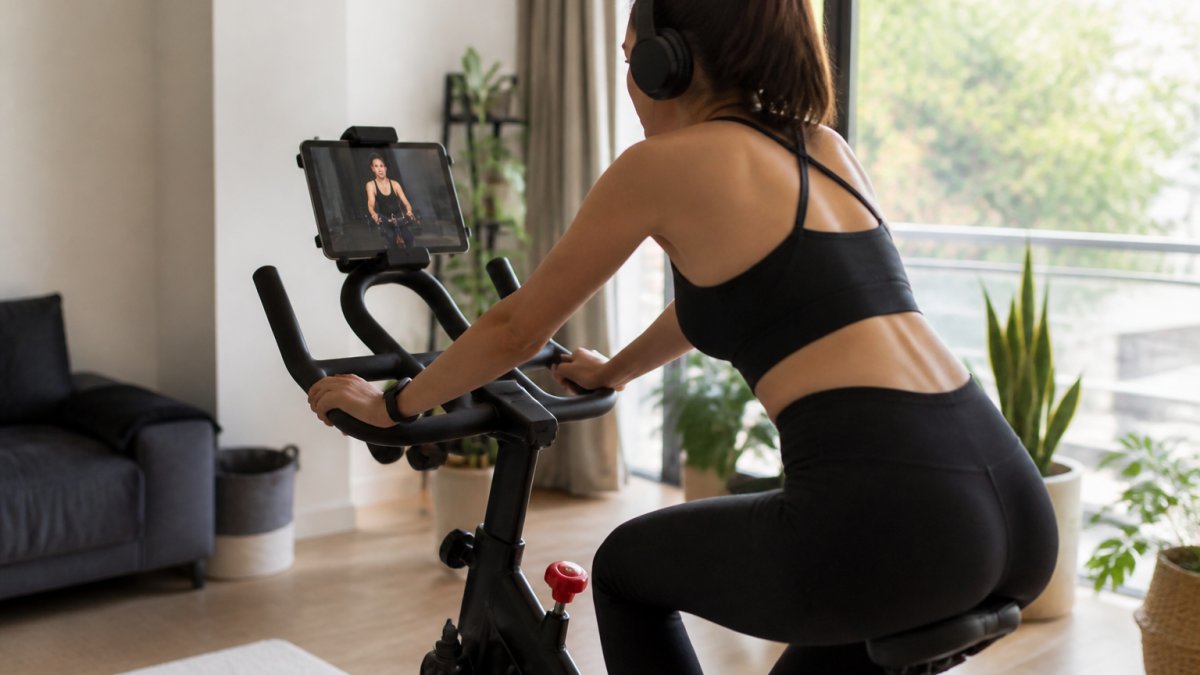
Many apps overlay real-time metrics, pace, resistance, heart rate, calories, creating a feedback loop that keeps you honest and motivated.
The best alternatives offer coaching variety, high-energy or calm, metrics-focused or feel-based, so you can match your coach to your personality and goals.
Spinning Home Exercise Fitness Equipment →
Free Workout Apps and Paid Options: Pricing Breakdown
iFit costs approximately $15/month ($99 annually), but many alternatives cost less, offer flexible terms, or provide free tiers. Understanding pricing and cancellation policies helps you decide.
Free and Freemium Tiers
Free apps let you test whether you'll use a fitness app before paying. Most are ad-supported or limited, small workout libraries, basic tracking, no live classes or equipment integration. Freemium models offer core features free, with paid upgrades for advanced coaching and live classes.
Paid Subscription Models
Paid subscriptions range from $10-$30 monthly. At $10-$15: basic on-demand libraries and trainer videos. At $15-$20: expanded libraries, some live classes, and possible equipment integration. At $20-$30: live coaching, real-time feedback, extensive compatibility, and household accounts.
Trial Periods and Cancellation Terms
Most platforms offer 7-30 day free trials. Read the fine print: some require upfront credit cards and auto-renew; others are truly free. Cancellation policies vary, some allow anytime cancellation; others charge early-termination fees. Some offer pause options to freeze subscriptions without losing progress.
Household and Family Plans
If multiple people in your home will use the app, check whether the subscription covers one user or multiple. iFit allows up to four profiles on a single subscription. Many alternatives offer similar multi-user access at no extra charge, while others charge per user or require separate subscriptions.
Equipment-Specific Pricing
The real cost isn't just the app subscription; it's the equipment required to use it effectively. Bodyhackfitness offers equipment at multiple price points: our Walking Pad Treadmill with 8° Incline starts at $107.17, while our Spinning Home Exercise Fitness Equipment is $666.19.

Making the Math Work
Calculate your true annual cost: (monthly app subscription × 12) + equipment investment. A $15/month app ($180/year) plus a $300 treadmill ($300 one-time) totals $480 in year one and $180 in year two.
How to Choose the Right iFit Alternative for Your Fitness Goals
Choosing an iFit alternative requires matching three variables: your fitness goals, your available equipment, and your budget. Get any one of these wrong, and the whole setup underperforms.
Start by defining your primary goal. Are you training for endurance? Building strength? Improving flexibility? Losing weight? Different apps excel at different goals. Some are built around cycling and running. Others focus on strength training or functional fitness. A few try to do everything and do nothing exceptionally well.
Next, inventory your equipment. Do you already own a bike, treadmill, or weights? What brand? Will you buy new equipment? Your existing gear narrows the list of compatible apps immediately. If you're starting from scratch, you have more freedom, but you'll need to invest in equipment that matches your chosen app.
Finally, set a realistic budget. Include both the app subscription and any equipment costs. A complete home gym doesn't need to be expensive. Our Under Desk Walking Pad starts at $107.17 and pairs well with free or low-cost apps. But if you want live coaching, multiple workout styles, and premium equipment, budget accordingly.
The mistake most people make is choosing an app first, then trying to find equipment that works with it. Reverse the process: clarify your goals, choose equipment that supports those goals, then find an app that integrates with that equipment.
Pairing Guided Workout Apps with Home Fitness Equipment
Equipment and apps are partners, not solo players. A great app on incompatible equipment creates friction. A premium treadmill paired with a weak app wastes your investment.
The strongest pairings follow a simple rule: choose equipment designed for the coaching style you prefer. If you want resistance adjustments triggered by your trainer, you need equipment with motorized incline or resistance. If you're okay with manual adjustments, budget equipment works fine. If you want real-time metrics synced to your app, ensure the equipment has Bluetooth connectivity.
Bodyhackfitness equipment is designed for flexibility. Our spinning bikes and treadmills work with multiple app ecosystems. You're not locked into a single coaching platform. This approach gives you the freedom to switch apps if your goals change or your preferences shift without replacing your equipment.
The practical setup looks like this: equipment + app + stable mounting or placement. A tablet holder on your treadmill costs $20 and transforms the experience. Proper form requires seeing the screen clearly. A cluttered setup leads to poor form and abandoned workouts.
Conclusion
Finding the right iFit alternatives guided workouts comes down to matching your equipment, your goals, and your budget. Most alternatives cost less than iFit but require you to be intentional about which platform you choose and what equipment supports it.
At Bodyhackfitness, we help you build a complete home gym setup with equipment that works with your chosen coaching app. Whether you start with our Walking Pad Treadmill at $107.17 or invest in our Spinning Home Exercise Fitness Equipment at $666.19, you get quality equipment built for consistency. Shop now and pair it with the guided workout app that matches your fitness goals.
Frequently Asked Questions
Can I use a NordicTrack treadmill without an iFIT subscription?
Yes, NordicTrack equipment works independently without iFIT. You can use manual mode to control speed and incline directly. However, iFIT alternatives for NordicTrack, like Peloton Digital or other trainer-led apps, may not integrate with your machine's controls the way iFIT does. Some third-party apps offer limited connectivity, but native integration is rare outside the iFIT ecosystem.
What are the best free alternatives to iFIT for guided workouts?
Free workout apps like YouTube fitness channels, Apple Fitness+, and basic versions of Peloton Digital offer guided workouts without subscription costs. However, free tiers typically have limited class libraries, fewer instructor options, and less personalization than paid plans. Many users combine free apps with home equipment like the NNEOBA Spinning Bike ($666.19) or portable treadmills ($107-$173) to create a complete setup without ongoing app fees.
Do iFIT alternatives work with all home fitness equipment?
Most iFIT alternatives offer on-demand or live classes that work with any equipment, treadmills, bikes, or rowing machines, but not all provide direct machine integration. Apps like Peloton require Peloton equipment for full integration. Generic fitness apps work with any gear. If you own NordicTrack, Peloton, or Tonal equipment, verify compatibility before switching apps, as some alternatives require manual control rather than app-controlled resistance or incline.
What's the difference between iFIT and other guided workout platforms?
iFIT specializes in machine integration (especially NordicTrack and Peloton bikes) with auto-adjusting resistance and incline. Competitors like Peloton Digital focus on live and on-demand classes with instructor motivation. Other alternatives emphasize personalized training plans, adaptive programming, or lower costs. The key difference: iFIT syncs with equipment for hands-free control, while most alternatives require manual adjustments. Your choice depends on whether you prioritize automation, class variety, or budget.