

Table of Contents
- Why Digital Fitness Programs for Beginners Work
- Best Home Workout Apps for Beginners
- How to Start a Home Workout Routine
- Beginner Workout Plan: 30-Day Routine
- Tracking Progress with Wearables and Health Metrics
- Recovery Protocols for New Exercisers
- Conclusion: Your Next Step with Digital Fitness Programs
- Frequently Asked Questions
Last Updated: October 2, 2026
Why Digital Fitness Programs for Beginners Work
Digital fitness programs for beginners remove the two biggest obstacles to getting started: cost and intimidation. Instead of committing to a gym membership and learning equipment in front of strangers, you open an app in your living room and follow along. This guide from Bodyhackfitnesss breaks down exactly how to choose a program, build a routine, and stay consistent past the first week.
The format works because it meets people where they already are. Research from the American College of Sports Medicine confirms that structured, progressive programs produce better adherence than unstructured exercise. A digital program supplies that structure automatically.
Common Psychological Barriers to Starting
The biggest barrier isn't physical. It's the fear of doing it wrong while someone watches.
- Gym intimidation: Beginners worry about judgment before they've learned basic form.
- Decision paralysis: Hundreds of workout videos make it hard to know where to start.
- All-or-nothing thinking: Missing one day becomes "I've failed," so the whole plan collapses.
Bodyhackfitnesss addresses this directly with guided digital programs that tell you exactly what to do each day, removing the guesswork.
Best Home Workout Apps for Beginners
The best home workout apps for beginners share three traits: short sessions, clear instruction, and a defined progression path. A well-built program should tell you what to do on day one and how it builds by day thirty, not just drop you into a random video library.
Here's how the major options actually compare for someone starting from zero:
- Peloton App, The digital-only tier runs about $12.99/month (separate from the Bike/Tread hardware subscription). Strength, yoga, and outdoor walking classes are all included, and the beginner-specific "Peloton Fundamentals" collections give you a sequenced on-ramp instead of a wall of 10,000 classes.
- Apple Fitness+, $9.99/month or $79.99/year, bundled free with an Apple One Premier plan. Its advantage for beginners is the on-screen burn bar and trainer cues tuned to Apple Watch metrics, so you get real-time feedback without guessing your effort level.
- Nike Training Club, Free, with optional premium tier. Strong for bodyweight-only beginners because every workout lists equipment (often "none") and includes a trainer demo plus a modified version side-by-side.
- FitOn, Free core app with a paid Pro tier around $29.99/year. Large library of short (10-20 minute) beginner-friendly classes, which is useful when you're still building the habit.
- YouTube channels (Hasfit, Fitness Blender, Yoga with Adriene), No cost, no account. Excellent for testing what you enjoy, but there's no progression engine, you have to build the sequence yourself.
Free vs. Subscription Platforms
Free platforms offer enormous variety but little structure. Subscription models provide progression, tracking, and instructor-led sequencing. For beginners, structure usually matters more than variety, because variety without progression rarely builds strength or cardiovascular endurance.
A useful rule: if you can't answer "what am I doing in week three that I couldn't do in week one?" after browsing a free library for ten minutes, that library isn't a program, it's a catalog.
| Platform Type | Cost | Best For | Main Drawback |
|---|---|---|---|
| Free video libraries (YouTube, Nike Training Club free tier) | No cost | Testing what you enjoy | No progression or tracking |
| Subscription apps (Peloton App, Apple Fitness+, FitOn Pro) | $9.99-$12.99/month or ~$30-$80/year | Structured beginner plans with auto-scheduling | Recurring cost; some require specific hardware for full value |
| One-time digital programs | Single purchase | Self-paced beginners who want a fixed 30-day arc | No live coaching or app updates |
How to Pick Without Overthinking It
Beginners lose weeks comparing apps. A faster filter: pick the one that (1) has a dedicated beginner track, (2) shows modifications on screen, and (3) costs less than a single gym drop-in fee for a month.
If you'd rather skip the subscription decision entirely, a fixed-length digital program removes the choice paralysis, you get a defined start and end date instead of an endless library.
How to Start a Home Workout Routine
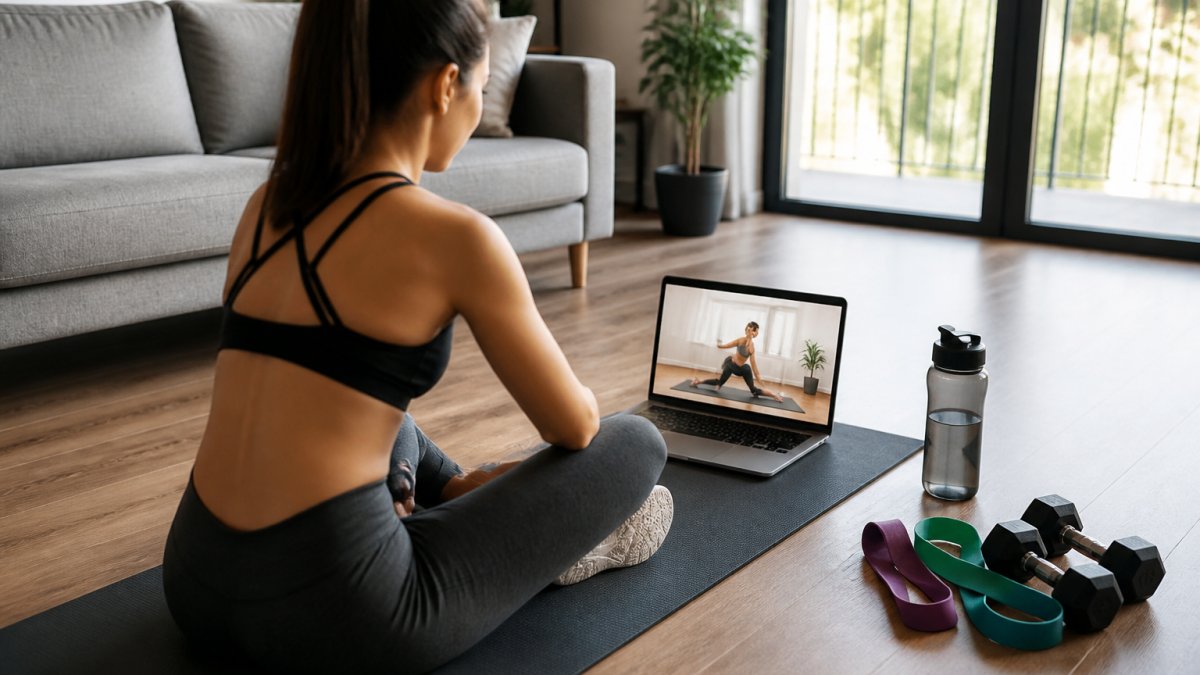
Starting a home workout routine means picking one program, blocking three short sessions per week, and committing for thirty days before judging results. Consistency beats intensity every time for beginners.
Equipment and Budget-Friendly Alternatives
You don't need a full home gym setup to begin. A mat, a set of resistance bands, and a pair of light dumbbells cover most beginner programming. Budget-friendly alternatives include water bottles as light weights, a towel for floor work, and bodyweight exercises that require nothing at all.
For those who want to add low-impact cardio without leaving the desk, a walking pad is a practical option. The 7° Incline Walking Pad supports walking during calls or TV time, with a 220 lb capacity and a quiet motor that won't disrupt a meeting.

Beginner Workout Plan: 30-Day Routine
A beginner workout plan 30 day routine should progress gradually: weeks one and two build the habit, weeks three and four add intensity. Here's a simple structure you can follow.
- Days 1-7: Three 20-minute sessions mixing bodyweight exercises and light resistance training.
- Days 8-14: Add one session per week and increase reps slightly.
- Days 15-21: Introduce progressive overload with bands or light weights.
- Days 22-30: Extend sessions to 30 minutes and add a low-impact cardio block.
The Bodyhackfitnesss 30-Day Home Strength Program packages this structure into a guided digital fitness guide with structured workouts, resistance-band exercises, trackers, and bonus sessions for $14.99.
Bodyhackfitness 30-Day Home Strength Program | Digital Fitness Guide →

Modifications for Different Fitness Levels
Every movement has a regression and a progression. A squat becomes a chair-assisted squat for beginners and a goblet squat for those ready to advance. Push-ups scale from wall to incline to floor. Choose the version you can complete with control, then progress when the current version feels manageable.
Tracking Progress with Wearables and Health Metrics
Most beginner guides tell you to "track your progress" and stop there. That's useless advice if you don't know which numbers matter, what a normal baseline looks like, or how to avoid the trap of chasing every metric your device spits out. This section covers the mechanism, not just the recommendation.
Why Wearables Help Beginners Specifically
Beginners quit for two reasons: they don't see results fast enough, and they can't tell whether what they're doing is working. A wearable solves the second problem directly. The mirror and the scale move slowly, often not at all in the first three weeks, but resting heart rate, active minutes, and sleep duration shift within days of starting a consistent routine.
The Three Metrics Worth Watching (and the Rest to Ignore)
- Resting heart rate (RHR), Measured overnight or first thing in the morning. A common pattern is a drop of a few beats per minute over four to six weeks of consistent cardio. Track the weekly average, not the daily number, because single readings swing with stress, caffeine, and sleep.
- Weekly active minutes, Most trackers count "active" as movement above a brisk-walk threshold. The widely cited public-health target is 150 minutes of moderate activity per week (the CDC). For a beginner, aim to close the gap from wherever you start, even 60 minutes in week one is progress.
- Sleep duration and consistency, Sleep is the recovery input that determines whether your next session feels doable. A consistent bedtime matters more than total hours for most new exercisers.
Ignore: calorie-burn estimates (notoriously inaccurate across devices), "readiness" scores you don't understand, and step streaks that push you into overtraining.
How to Set a Baseline in Week One
Don't try to hit targets in your first week, measure them. Wear the device for seven days without changing your behavior. Record your average RHR, your average daily active minutes, and your average sleep. Those three numbers are your baseline. Every week after that, compare against your own baseline, not against a friend's or an influencer's.
Realistic Entry Points
You don't need a $400 watch to start. A basic fitness band in the $30-$80 range captures RHR, steps, active minutes, and sleep, everything on the list above. A chest strap or armband heart-rate monitor (roughly $40-$90) pairs with a free phone app if you only care about workout intensity. If you already own a smartwatch, use it; the marginal gain from upgrading hardware is small compared to the gain from actually reviewing the data weekly.
The Weekly Review Habit
Set a recurring 10-minute slot (Sunday evening works for most people) to open your app and answer three questions: Did my RHR trend down or hold steady? Did I hit my active-minutes target? Did my sleep stay consistent? If two of three are on track, the program is working, don't change anything. If two of three slipped, adjust the smallest variable first: usually sleep or session frequency, not intensity.
This is the piece most guides skip. Tracking without a review ritual is just data collection. The review is what turns numbers into decisions.
Recovery Protocols for New Exercisers
Recovery is where beginners get hurt, or quit. New exercisers need more recovery time than they expect, especially in the first two weeks. Soreness is normal; sharp pain is not. Prioritize sleep, hydration, and at least one full rest day between strength sessions. Light mobility training on off days helps more than total inactivity.
Conclusion: Your Next Step with Digital Fitness Programs
The hardest part of any fitness routine is the first thirty days. A structured digital program removes the guesswork, tells you what to do each session, and tracks your progress so you can see results before motivation fades.
Bodyhackfitnesss offers the tools to make that happen: a guided 30-Day Home Strength Program with trackers and bonus workouts, plus space-saving equipment like the 7° Incline Walking Pad for low-impact cardio at your desk. Shop now and build the training environment that keeps you consistent.
Frequently Asked Questions
What is the best online fitness program for beginners?
The best program depends on your goals and schedule. Look for one that offers structured plans, clear form demonstrations, and modifications for different levels. A 30-day guided program with resistance-band exercises and trackers helps beginners build consistency without guesswork. Many platforms offer free trials so you can test the instructor's style before committing.
How do I choose a digital fitness program that fits my lifestyle?
Start by matching the program's time commitment to your available schedule. If you travel or work long hours, prioritize on-demand workouts under 30 minutes. Check whether it requires specific equipment or works with bodyweight exercises. Also consider whether you prefer live streaming classes for accountability or self-paced videos for flexibility.
How can I stay consistent with an online workout routine?
Schedule workouts like appointments and keep them short at first (15-20 minutes). Use activity tracking to see streaks and celebrate small wins. Pair exercise with an existing habit, such as right after your morning coffee. A structured 30-day plan removes daily decisions, which is one of the biggest barriers to workout consistency.
What equipment do I need to start a digital fitness program at home?
You can start with just a mat and your bodyweight. Resistance bands add functional strength work for under $20. If you want cardio without leaving home, a compact walking pad fits under a desk and supports walking or jogging. A 30-day digital program often includes resistance-band exercises, so a basic band set covers most beginner needs.